Moneydance vs Banktivity comes down to cross-platform freedom versus a Mac-only, Apple-tuned experience. Here is how the two personal finance apps compare on platforms, pricing and mobile — and which to pick.
Moneydance 2024.4 · US$65 one-time · Windows, macOS & Linux
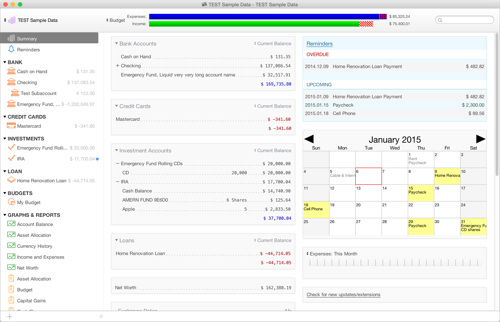
Moneydance vs Banktivity is a choice between cross-platform coverage and a Mac-only Apple experience. Moneydance runs on Windows, macOS and Linux from one codebase and is sold as a one-time US$65 license. Banktivity is a Mac and iOS-only app with polished Apple-ecosystem design, priced as a subscription or one-time purchase depending on the version. Both handle budgeting, online banking and investments; the differences are platform support, pricing model and how tightly each ties to Apple.
| Moneydance | Banktivity | |
|---|---|---|
| Platforms | Windows, macOS, Linux | Mac and iOS only |
| Pricing model | One-time US$65 license | Subscription or one-time, varies by version |
| Ecosystem | Platform-neutral, cross-OS | Apple ecosystem, Mac-native design |
| Online banking | 11,000+ institutions via Moneydance+ | Direct Access add-on for bank sync |
| Investment tracking | Yes — securities, cost basis, quotes | Yes — portfolio and securities tracking |
| Mobile app | Free iOS & Android companion | iOS companion for iPhone & iPad |
You need to run on Windows or Linux, mix operating systems across your household, or want a one-time US$65 price with a free iOS and Android companion instead of an Apple-only tool.
Your household is all-Apple, you value a Mac-native design that follows macOS and iOS conventions closely, and you are happy to stay inside the Apple ecosystem for your finances.
Export QIF, OFX/QFX or CSV from Banktivity, then use File › Import in Moneydance to bring in your accounts. Start on the free trial before you buy a license.
The deciding factor is where you work and how you like to pay. Banktivity is built exclusively for Mac and iOS: if every device you own is an Apple product, its native design, tight iCloud sync and iPhone companion feel cohesive and refined. But it locks you into that ecosystem — there is no Windows or Linux version, so a single PC in the house breaks the setup. Moneydance takes the opposite stance: one US$65 license runs the same app on Windows, macOS and Linux, with a free companion for both iOS and Android. Banktivity's pricing shifts between subscription and one-time depending on the edition and its Direct Access bank-sync plan, while Moneydance keeps a flat, one-time model with the optional Moneydance+ add-on for online banking. Choose Banktivity for Apple-native polish, Moneydance for platform freedom and a predictable price.
 Moneydance