Moneydance for Linux is a native personal finance app for 64-bit Linux — budgeting, online banking and investment tracking, with your data stored privately on your own machine. Choose the Debian .deb package or the generic .sh installer.
Version 2024.4 · ~146 MB · 64-bit Linux · Free trial, then US$65 one-time
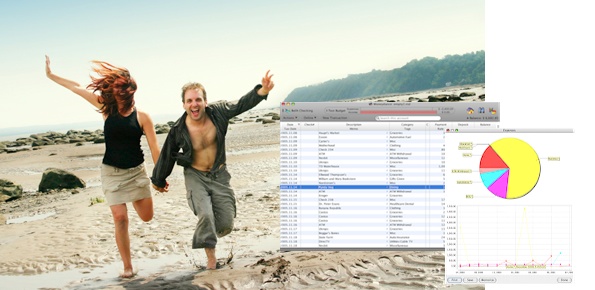
Download Moneydance for Linux is the 64-bit Linux build of Moneydance, the cross-platform personal finance app by The Infinite Kind. Version 2024.4 comes as a Debian .deb package and a distribution-neutral .sh installer of about 146 MB, and covers online banking, budgeting, bill reminders and investment tracking in one private, locally stored application. Install it as a free trial, then unlock the full version for a one-time US$65.
Moneydance for Linux requires a 64-bit Linux desktop and is offered in two forms so it fits any distribution. The .deb package targets Debian, Ubuntu and their derivatives, where it installs and uninstalls through the standard package manager and appears in your applications menu automatically. The .sh installer is a self-contained shell script that works across other distributions, unpacking Moneydance into your home directory without touching system packages. Each download is around 146 MB. Because Moneydance is a Java-based application, the required runtime is bundled with both installers, so you do not need to install a separate JDK or JRE.
To install the .deb, download the moneydance package and run sudo apt install ./moneydance_linux_amd64.deb, or open it in your graphical software tool. To use the script instead, mark it executable and run it from a terminal; it extracts the app and a launcher you can start directly. Both routes give you the same 64-bit Moneydance, and your account file is identical either way, so you can switch between the .deb and .sh approaches without converting anything.
For online banking on Linux, Moneydance connects to your financial institutions through the optional Moneydance+ service, which covers 11,000+ North American banks and credit unions for automatic transaction download. You can also import statements manually via OFX/QFX, QIF or CSV if you prefer not to connect directly. Your account file stays encrypted on your machine, and the free iOS companion app syncs securely with it. The same file is cross-platform, so records you build on Linux open unchanged on Mac and Windows.
Get the Debian .deb or generic .sh installer free trial for 64-bit Linux, then buy a license once for US$65.
 Moneydance